Step-by-step guide to creating a message
Step 1: Access mailbox
Go to Lohnsteuer kompakt and log in with your credentials.
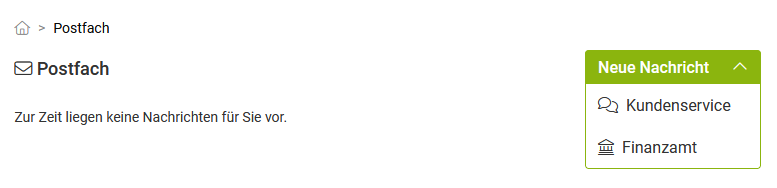
Open the mailbox and select the "Tax Office" option under "New Message".
Step 2: Select message type
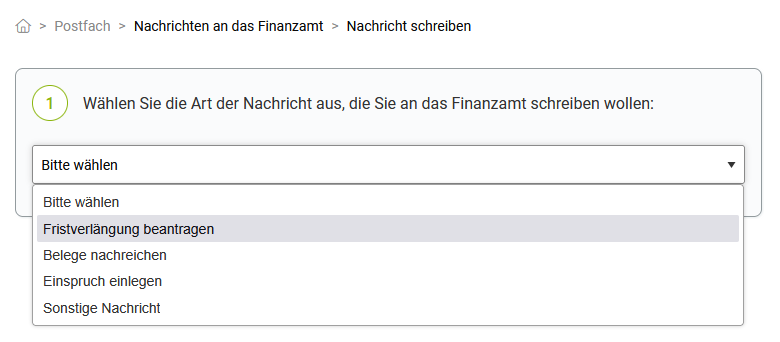
Select the type of your message:
- Apply for extension: If you cannot submit your tax return on time and need more time.
- Submit documents: If you need to submit documents later because the tax office requests them.
- Lodge an appeal: If you disagree with the tax office's calculation and request corrections.
- Other message: If you have a concern that does not fall into one of the above categories.
Step 3: Select tax return
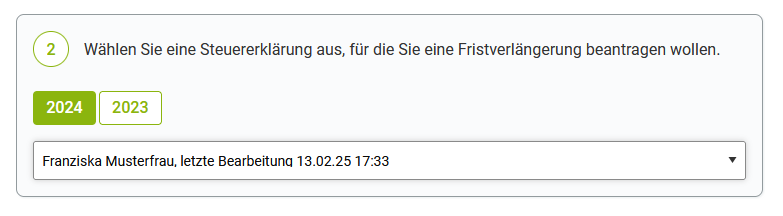
Since each message must be assigned to a tax return, select the appropriate tax return from the list.
The basic data, such as name, address and tax number, will be automatically transferred if they are stored in the selected tax return.
Notes:
- An extension can only be applied for tax returns for the current or the immediately preceding tax year, provided they have not yet been submitted.
- You should only use the option "Submit documents" if the tax office explicitly requests documents.
- For appeals, you can only select tax returns that have already been submitted.
- For an other message, you can select any tax return.
Example: Do you want to submit documents for your 2023 income tax return? Then select this from the list.
Step 4: Compose message and enter data
Fill in the mandatory fields, including Name, Tax ID and Tax Office.
Enter the subject and message, e.g. a reason if you wish to lodge an appeal against your tax assessment.
If necessary, upload PDF documents as attachments.
Important:
- You can only send unencrypted PDF files to the tax office (max. 10 MB per PDF file, max. 100 pages per PDF).
- Larger uploads are automatically compressed if possible, so that sending large files via Lohnsteuer kompakt is still possible.
Step 5: Review and send
- Carefully check all details.
- Confirm the sending of your message.
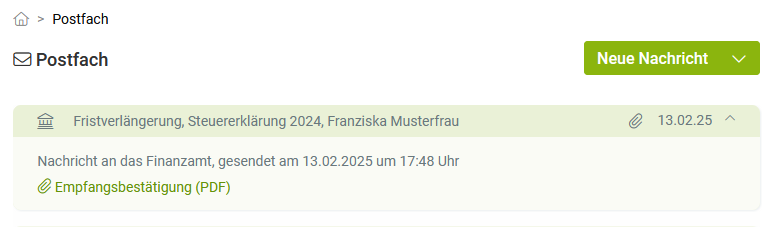
- You will receive a confirmation of sending and receipt.
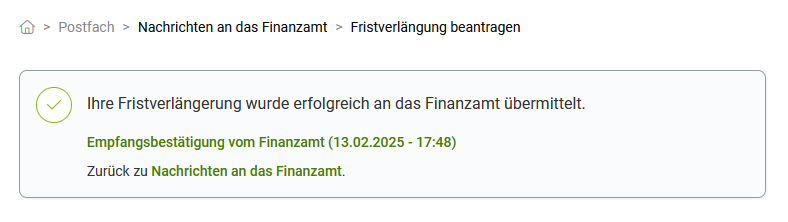
- You can also retrieve the confirmation of sending and receipt at any time later in your mailbox.