IntelliScan step-by-step guide
What is IntelliScan?
IntelliScan is an AI-supported feature that intelligently reads your documents, such as invoices, receipts, or other tax-relevant documents like motor liability insurance, bank certificates for capital gains, and automatically imports all relevant data into your tax return. This saves you time, and you only need to verify the data.
Examples:
Capital gains
Lukas receives a bank certificate for capital gains of 150.00 Euro. He simply drags and drops the PDF file into the IntelliScan upload window. The system recognises the capital gains and the withheld capital gains tax and inserts the data directly under "Income from capital assets". Lukas no longer has to manually transfer the complex tax data.
Donation receipt
Felix donates 100.00 Euro to a charitable organisation and receives a donation receipt as a PDF. He uploads the file via "Select files" in IntelliScan. The system recognises the donation amount and the recipient and enters the data under "Special expenses" at "Donations and membership fees". Felix checks the details and confirms them. This way, he easily uses his donation receipt for tax relief.
Step 1: Upload files
Go to Lohnsteuer kompakt and log in with your credentials.
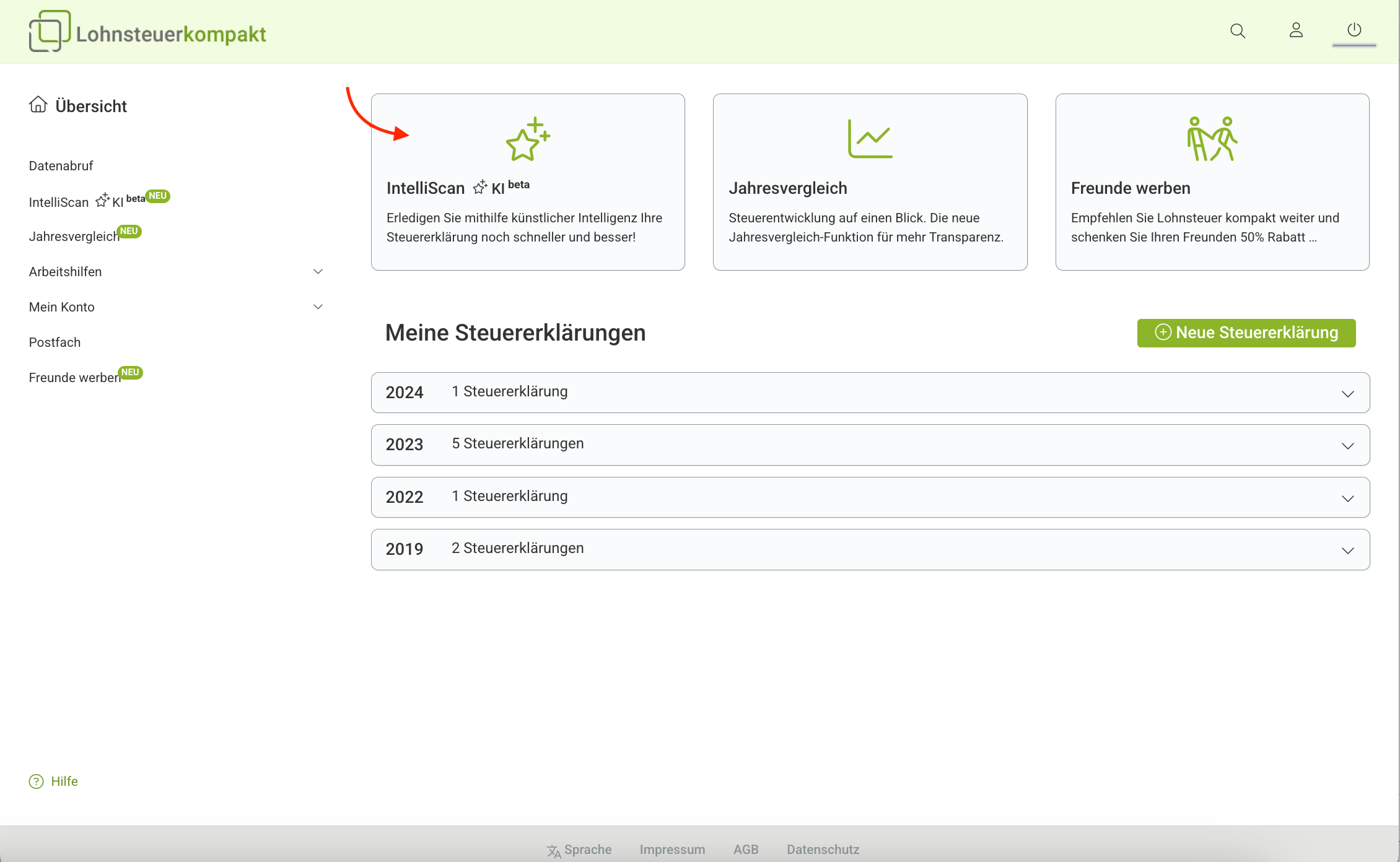
In the overview, you will find the IntelliScan area.
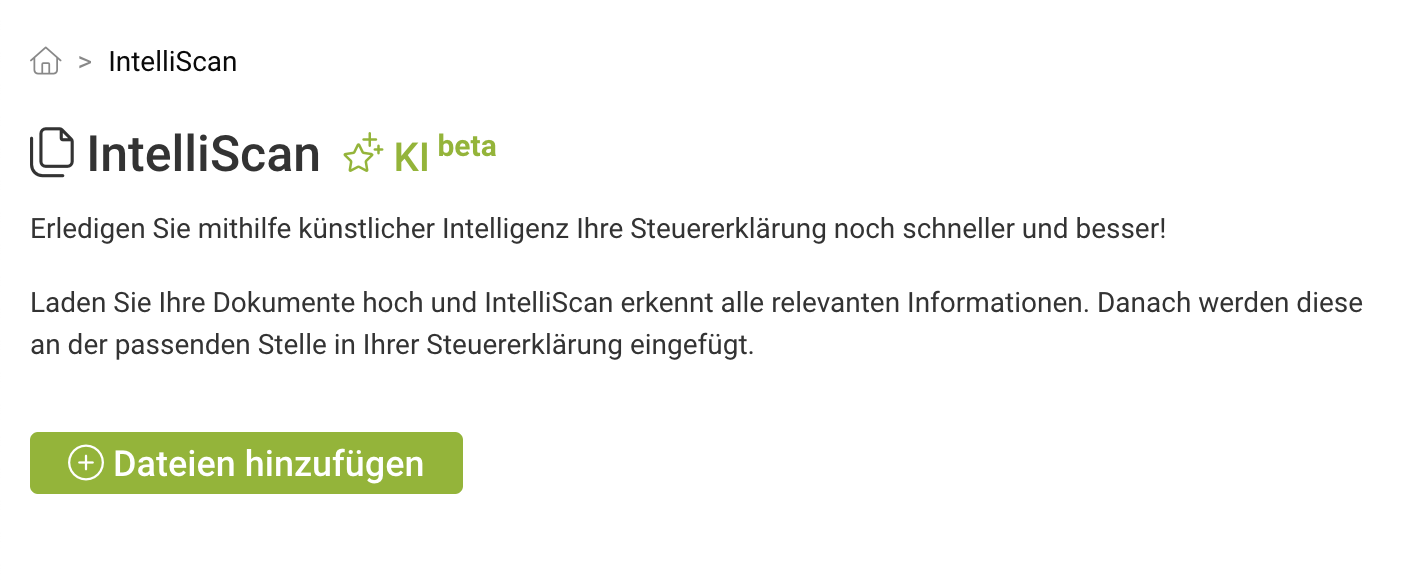
On the IntelliScan page, you can "Add files".
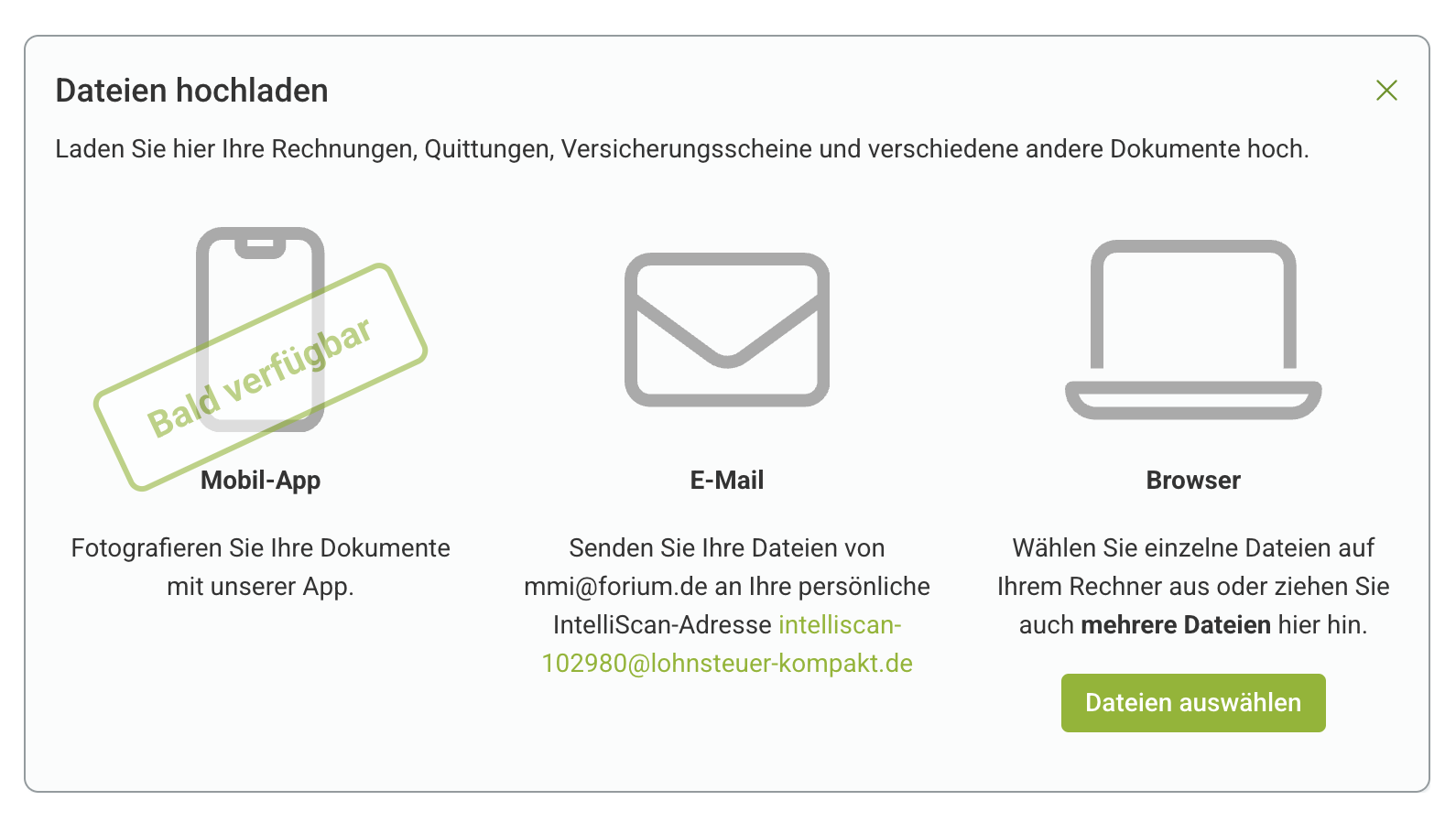
Select one of the three upload options:
- Mobile app: Photograph documents with your smartphone. (Available soon)
- Email: Send files directly from your email inbox to the displayed IntelliScan address.
- Browser upload: Drag and drop files into the upload window or manually upload them via "Select files".
Notes:
- Upload multi-page documents as a single file to ensure they are correctly recognised and assigned. Documents split across multiple files may not be processed correctly.
- Supported file formats: It is best to use PDFs for import with IntelliScan. However, images in PNG, JPG, JPEG, TIFF, BMP, GIF formats are also recognised by IntelliScan.
- Ensure that the files are readable (image quality) and tax-relevant. Otherwise, you also have the option to manually enter the data into your tax return.
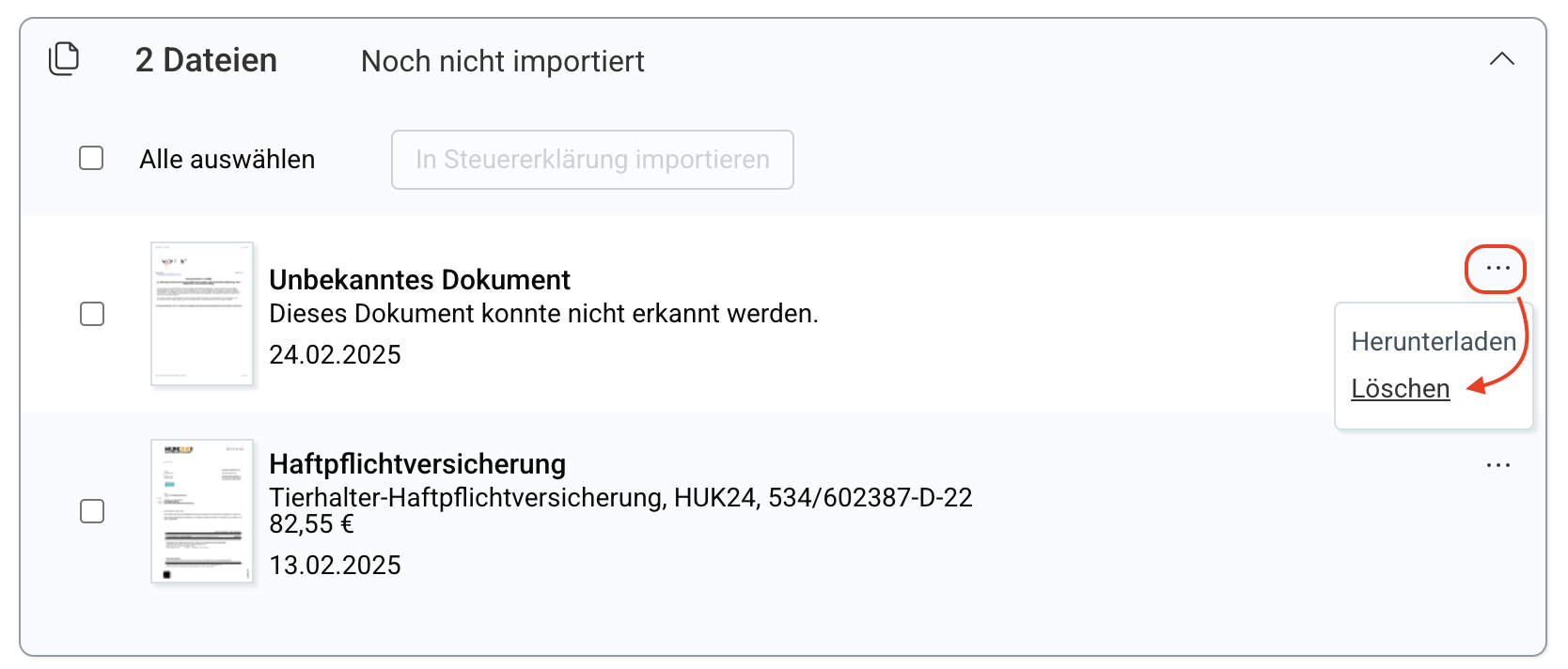
Delete files: Use the three-dot menu on the right in the file overview to delete files you do not want to use or that were not recognised.
Step 2: Import data into tax return
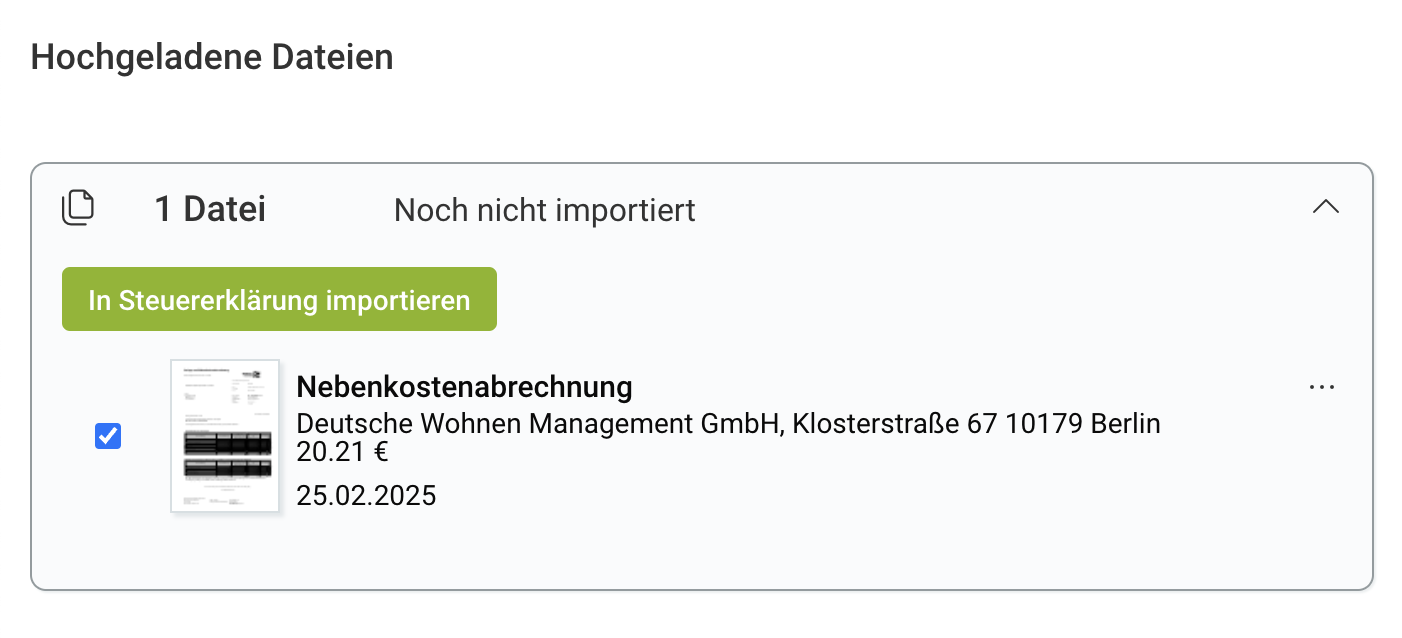
Under "Uploaded files", you will find files in the "Not yet imported" section that have not yet been inserted into a tax return.
Select files here and then click on "Import into tax return".
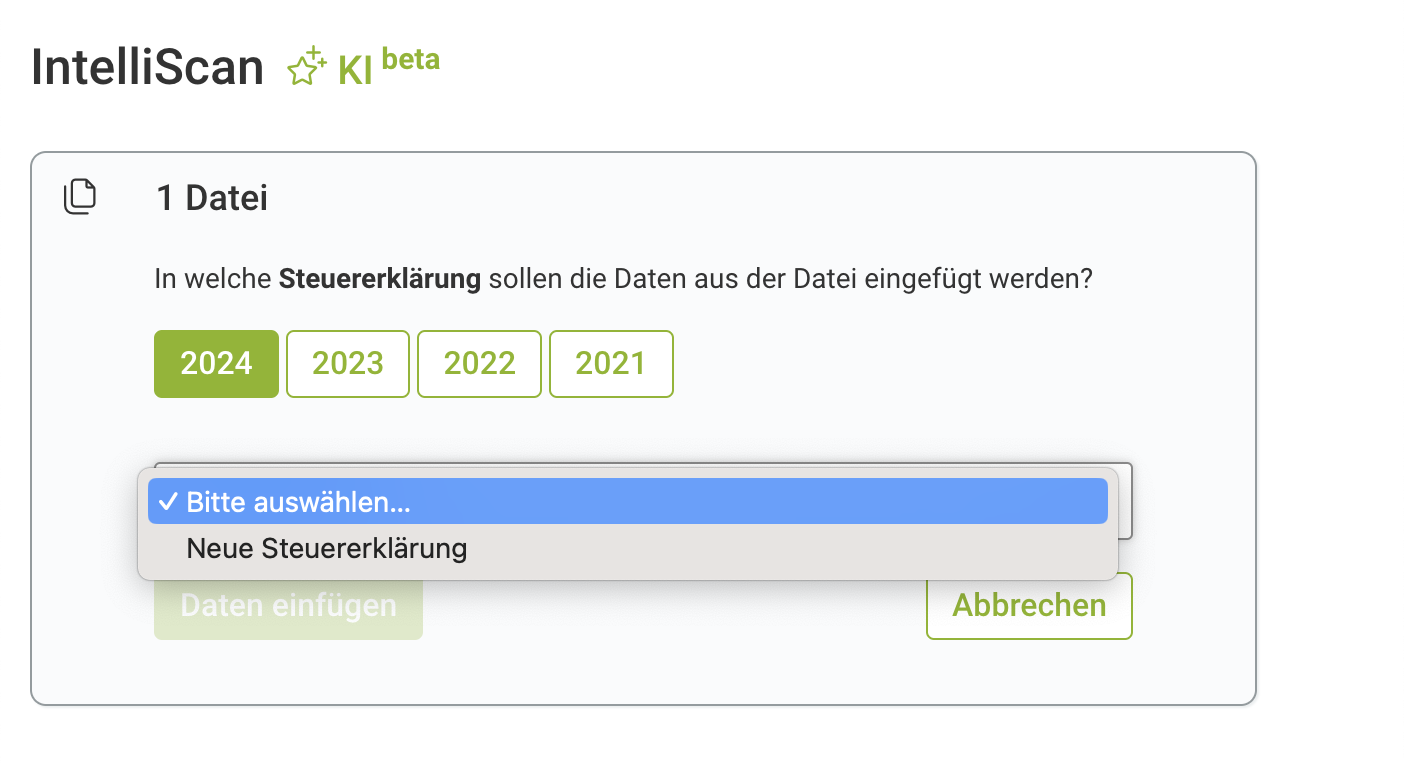
Select a tax return and confirm with "Insert files". You can also start a new tax return here.
Step 3: Review imported data
After the import, the selected tax return opens.
- All pages containing imported data are marked with an exclamation mark.
- All fields filled in by IntelliScan are also highlighted during data entry.
Once you have checked the data on a page, both the page and the input fields are no longer marked.
How much does IntelliScan cost?
Using IntelliScan is always free for you: You can upload files and automatically import data into your tax return at no additional cost.
Only when you want to submit your tax return to the tax office do you pay a one-off fee for submission. Detailed information on the scope of services and prices can be found here.
IntelliScan step-by-step guide