With the “Notes” function, you can record personal comments and reminders directly in your tax return. Your notes are automatically assigned to the relevant section, saved, and not sent to the tax office. Here you can find out how to create, retrieve, and delete notes.
How do you use the notes?
With the “Notes” function, you can add personal notes and comments directly within your tax return.
The notes are automatically assigned to the relevant section of the tax return and can be accessed or deleted at any time.
How do you use the notes?
How do I create a note?
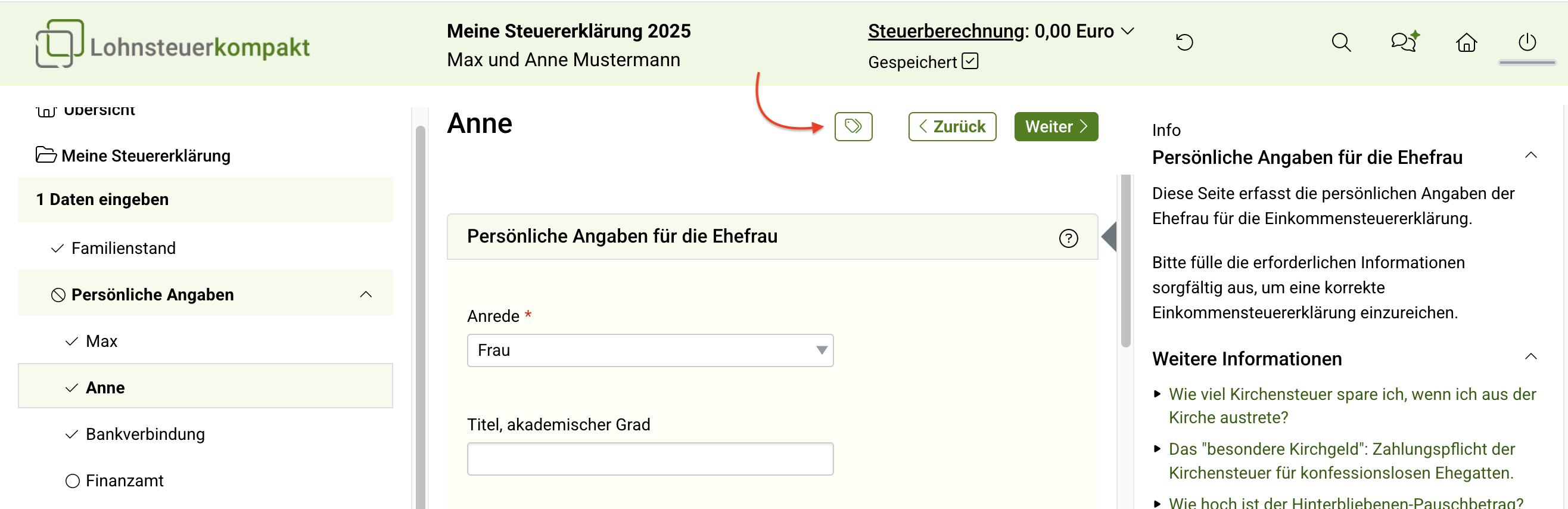
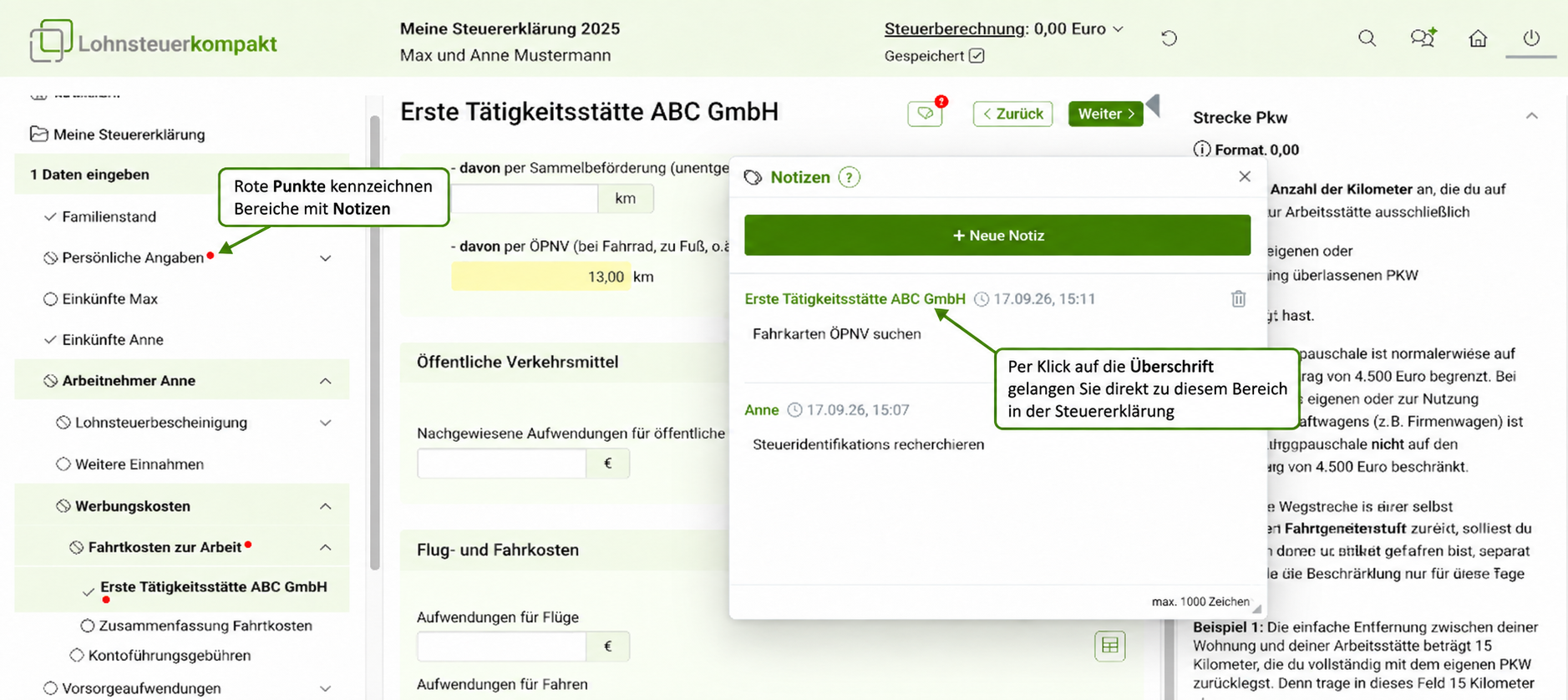
Click the notes icon to open the notes window. The notes window can be moved freely within the programme interface and resized as required. Click the “+ New note” button to start a new note.
The note is automatically assigned to the current section of the tax return. This is shown in the note heading and can be clicked. One click takes you directly to the relevant point in the tax return.
Sections in which a note has been created are marked in the left-hand menu with a small red dot. This allows you to see at a glance where notes have been saved.
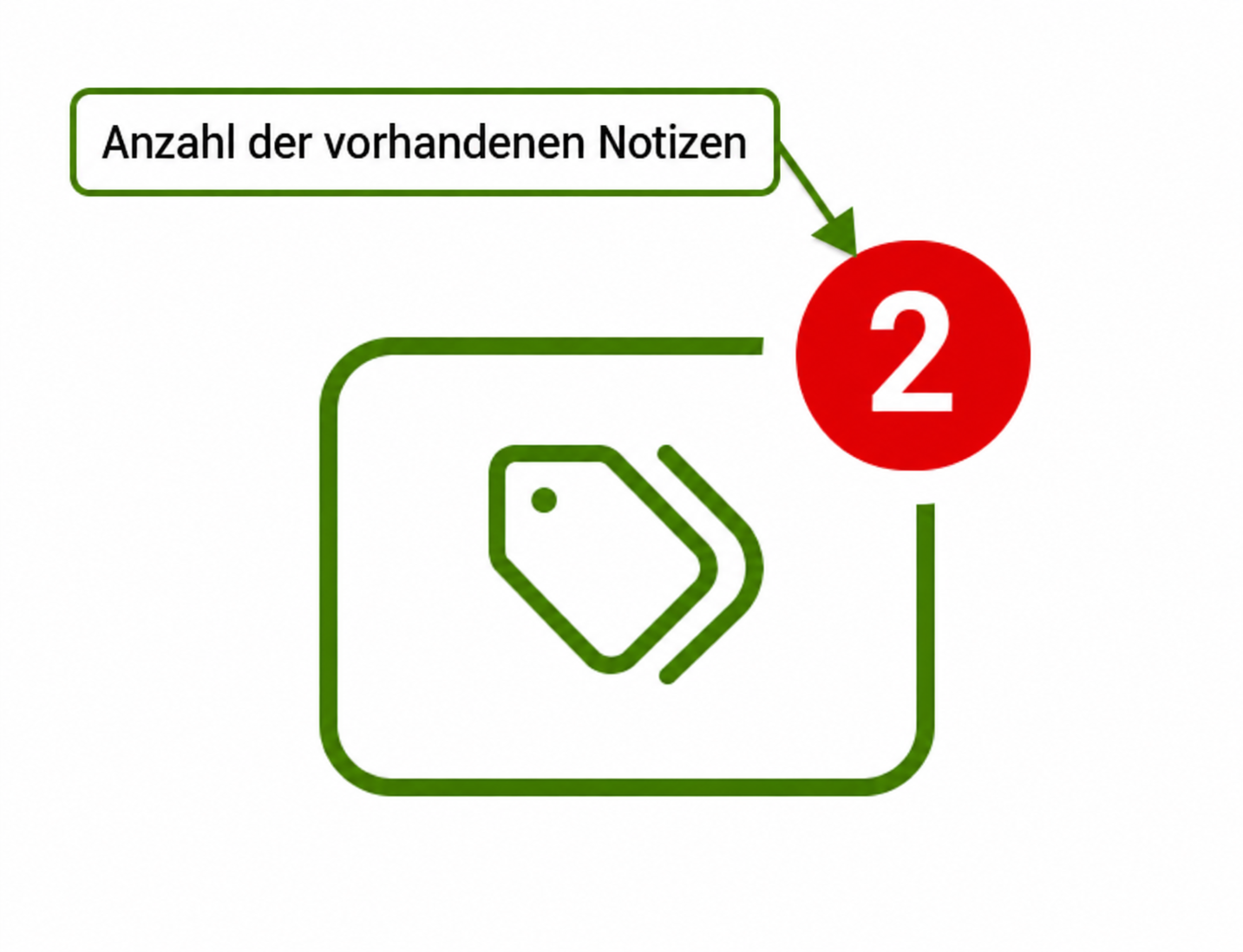
A red counter on the icon indicates how many notes have been created in total.
How do I create a note?
How can I delete a note and close the window?
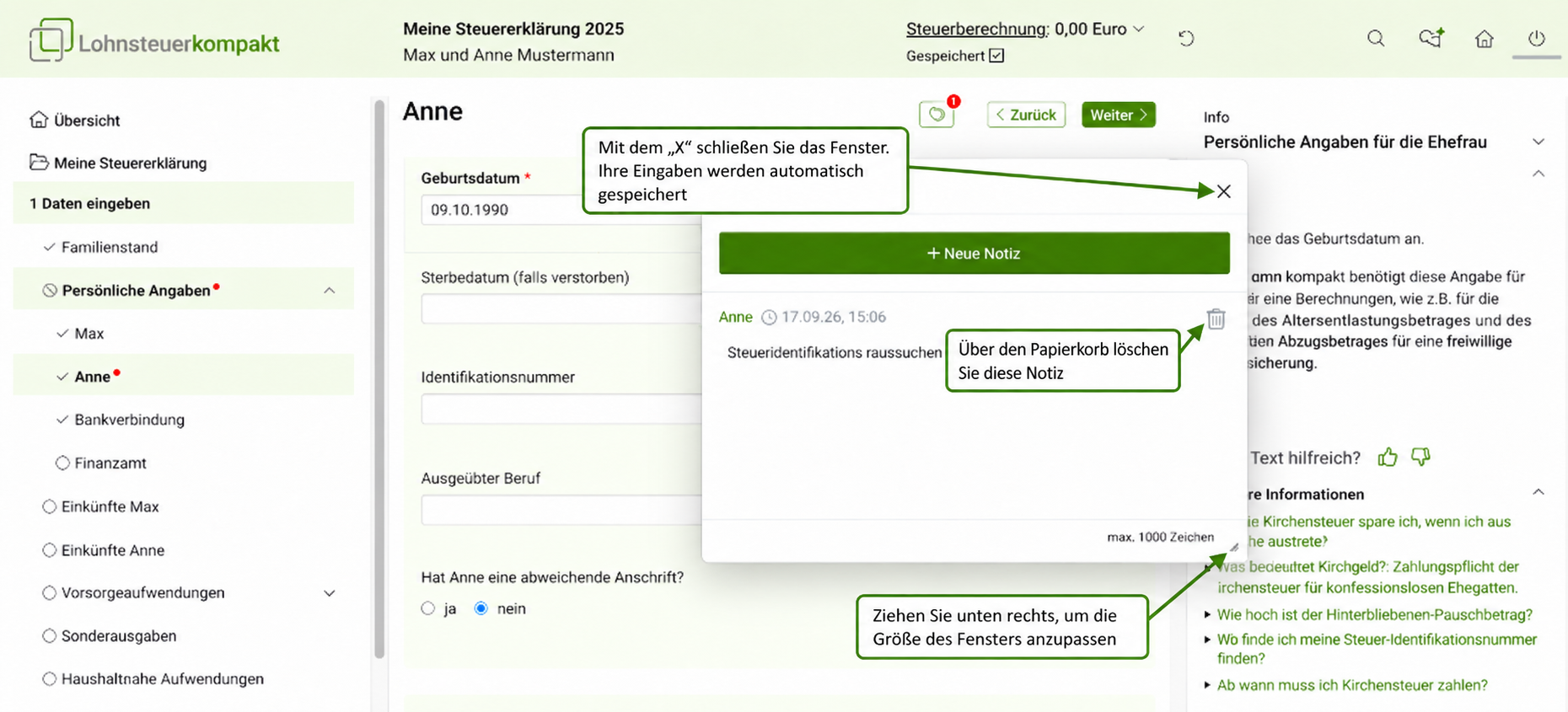
If you no longer need a note, you can remove it using the delete function. Click on the bin icon.
To close the notes window, click the “X”.
The notes you enter are saved automatically. Separate saving is not required. Your existing notes will be available again each time you log in. Saved notes are not submitted to the tax office when you file.
How can I delete a note and close the window?